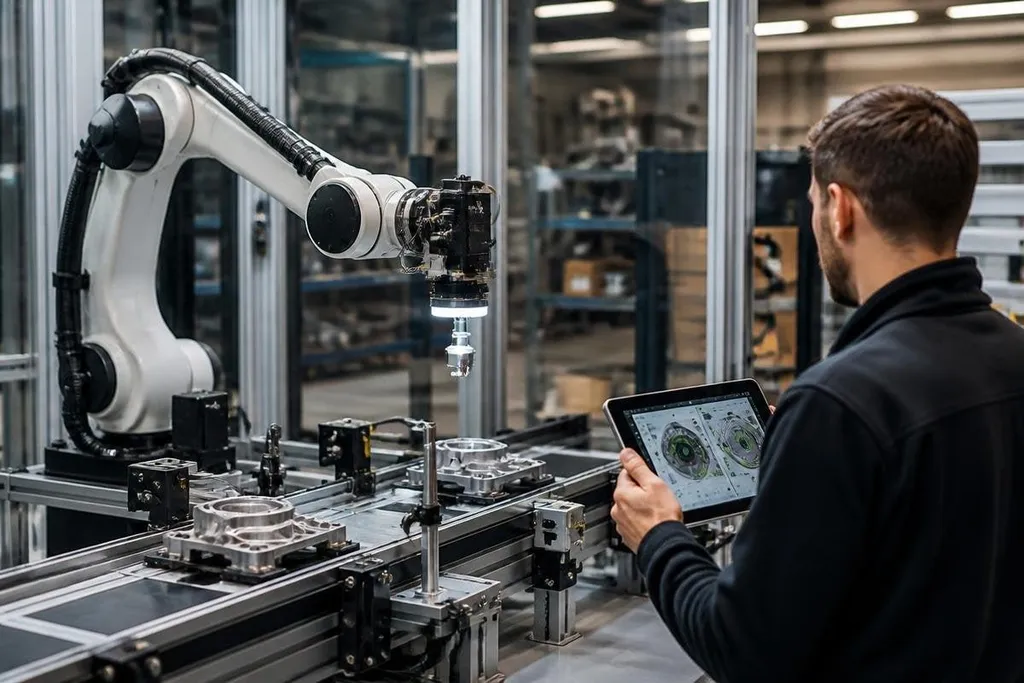
AI is changing factory robots in four working areas: seeing parts, planning motion, spotting faults, and helping people set up tasks. The shift matters most when a line handles small changes instead of repeating one fixed move all day.
- AI can read camera images and sort parts by shape, position, or visible damage.
- Software can adjust a robot’s path when an object moves or a work area changes.
- Human checks still matter for safety, quality, and tasks the system has not seen before.
Cameras give robots more information
A traditional robot follows a programmed path between known points. A camera system with an AI model can inspect an image and estimate where a part sits, which way it faces, or whether its surface looks different from the approved sample.
That extra information helps with tasks such as picking parts from a bin. The robot still needs a gripper, a motion controller, and a safe work area, but the software can choose a target from a less tidy scene.
The limit sits in the image. Glare, dust, poor lighting, scratched parts, and a new part design can lower the system’s accuracy. A factory team needs test images from the real line, not only clean samples taken during setup.
AI changes how robots plan work
Robot software can use a model to select a motion from several possible paths. A pick-and-place arm might change its route when another object blocks the first path, while a mobile robot can use sensor data to plan around people or equipment.
This does not remove the need for fixed rules. Speed limits, force limits, collision checks, and emergency stops still sit below the AI layer. The AI suggests or selects an action; the control system checks whether that action is safe to run.
That split also makes faults easier to inspect. If a robot stops, engineers can ask whether the camera found the wrong object, the planner chose a bad route, or the controller blocked an unsafe command.
The useful work is often fault detection
Factory robots generate data from cameras, motors, force sensors, and cycle records. AI software can compare new readings with past operation and flag a pattern that needs a human check.
A change in motor current may point to added resistance. A shift in vibration may suggest wear. A camera can spot a missing part or a poor assembly. These systems do not fix the machine by themselves, and a flagged reading is not proof that a component has failed.
The value comes from earlier inspection. A technician can check the part during planned downtime instead of waiting for a stopped line. That only works when the factory records clean data and connects the warning to a useful maintenance step.
A factory buyer can compare those records with Robot24.com's factory robotics reporting. Named machines, software versions, test sites, and dates show whether an AI system changed work on the line before programming takes over.
Programming gets easier, but limits remain
AI tools can help a technician turn a task description, camera view, or recorded motion into a starting program. The technician still needs to set the robot’s frames, tool position, speed, force, and safety zones before the arm runs near a person.
This can cut setup work for a new product, especially when the task changes often. It does not make every job suitable for a robot. A task with loose parts, changing surfaces, or tight quality rules may need more sensors and more human checks than the sales demo shows.
The largest risk is a gap between a good test and a safe production run.
A model may work on parts from one supplier and fail on parts with a small change in color, shape, or finish. The factory needs records for failed picks, false alarms, recovery steps, and software updates.
A practical buying checklist
Use these checks before adding AI software to a robot cell:
- Name the task: Write the exact job, part range, cycle target, and quality rule.
- Check the data: Confirm that cameras or sensors can see the parts under real line lighting.
- Keep a safe layer: Make sure hard speed, force, space, and stop rules remain outside the AI model.
- Plan recovery: Define who checks a failed pick, clears the cell, and restarts production.
- Measure the result: Record cycle time, false alarms, missed faults, and operator checks before and after the change.
- Ask what is unproven: Test new parts, lighting changes, dust, worn tools, and network loss.
I'd judge an AI robot by its recovery record, not by a smooth first run. The next useful test is a live cell with changed parts, dirty sensors, and a clear log of every stop.